Automation · 17
Monthly Reading Reminder Schedules
Dated reminder schedules for a monthly reading service. Tagging a client starts a sequence of emails timed to their reading dates, so each month's reminder goes out on the right day without anyone sending it by hand.
- Built for
- Australian clientBuilt on Ivorey
- Stack
- Ivorey
- Workflows
- Tags
01 / 03
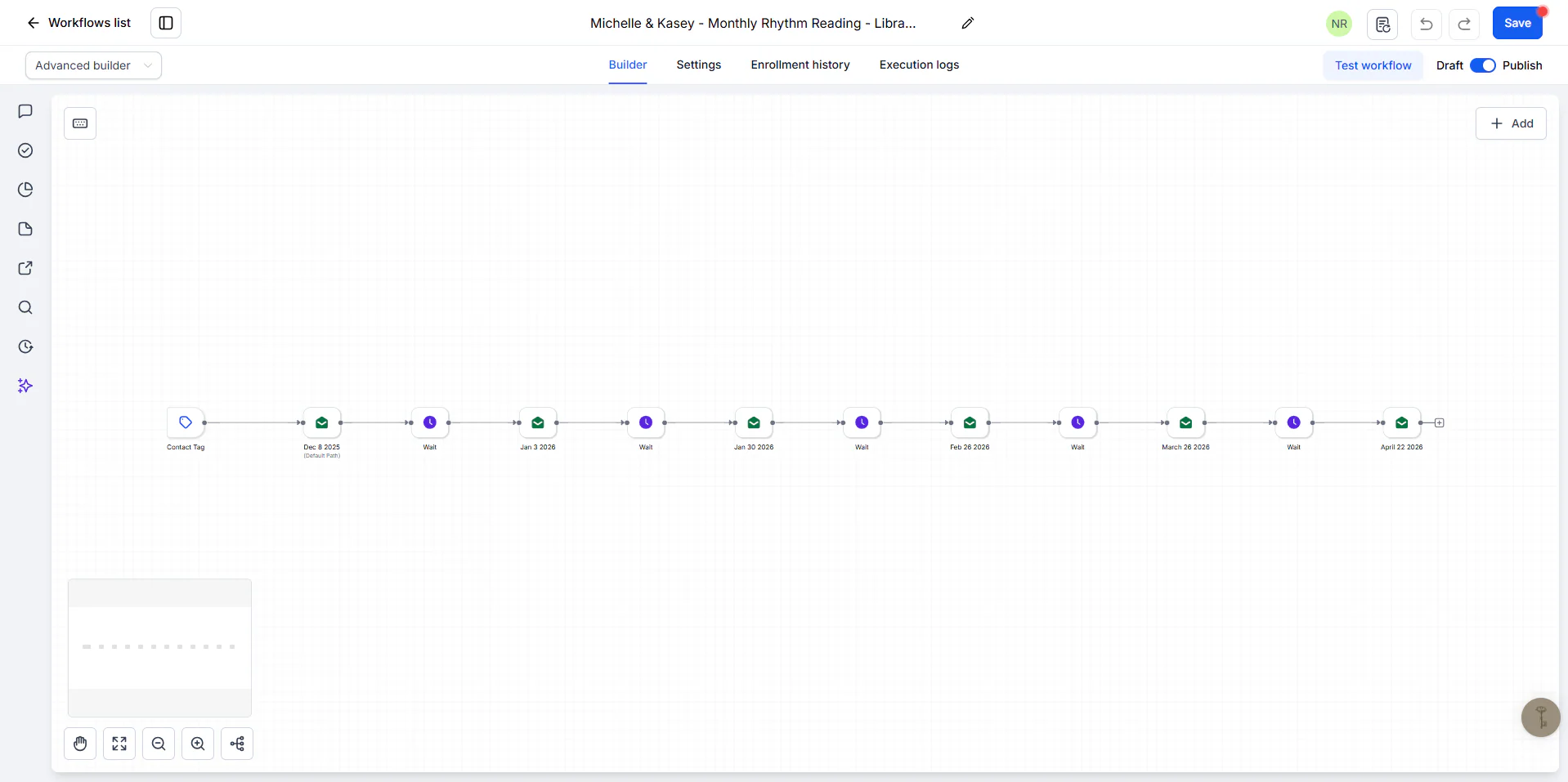
Image 1 of 3: Ivorey reminder schedule with six dated emails
Overview
The problem. Each client has their own reading dates. Sending every reminder on the right day, for every client, depends on someone remembering to do it.
What I built. I built one schedule workflow per client in Ivorey. A contact tag enrolls the client, then a chain of waits and emails sends each reminder on its set date. Every email step is labelled with its date, so the schedule is easy to check and change.
Why it helps. Clients get each reminder on its date, and the business can see every client's schedule at a glance.
System flow
- A tag enrolls the client in their schedule. Nodes: Contact Tag. Next: First reading email.
- Each email is named by its send date. Nodes: Email. Next: Wait for the next date.
- Nodes: Wait. Next: Next reading email.
- The wait-and-email pair repeats for every date: 6, 6 and 13 emails in the three schedules. Nodes: Email. End of flow.
Three client schedules use this pattern (one starts with a wait before the first email).